Moving company CRM for estimates, access, crews, and move-day follow-up

A move depends on details at two locations, not one. Inventory, stairs, elevators, parking, building rules, travel time, packing, dates, deposits, and crew size all influence the promise made to the customer. FieldCRM connects pickup and delivery context with the estimate, approval, scheduled job, payment, move-day notes, and final follow-up so a local moving owner can see the whole commitment in one history.

Explore a sample business with no account or card. Changes are temporary; nothing is sent or charged.

View pricing
  • Card required · $0 today
  • Plans from $29/month
  • No annual contract
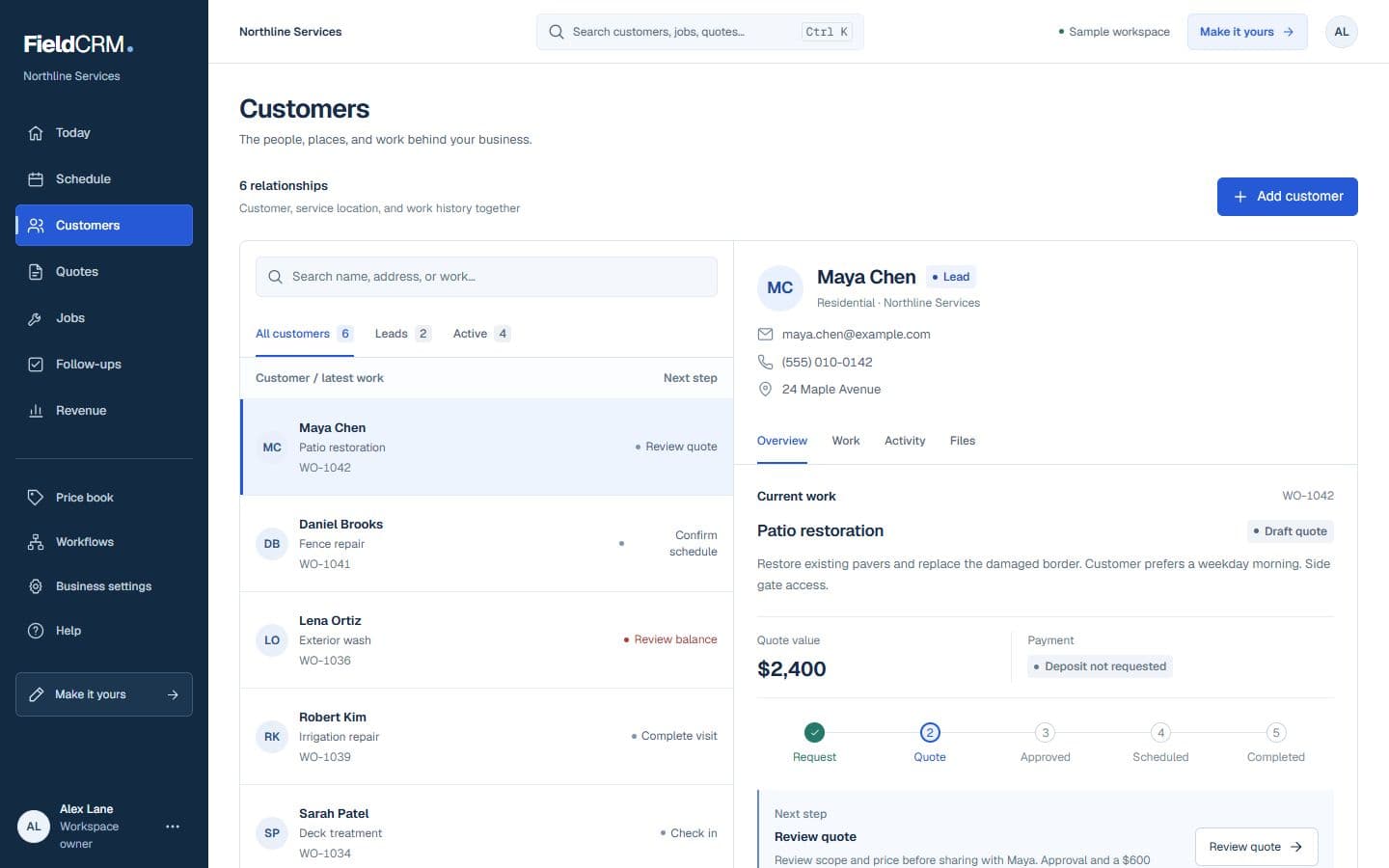
FieldCRM sample customer workspace capture with job sites, Work Orders, quote queue, and next action context.
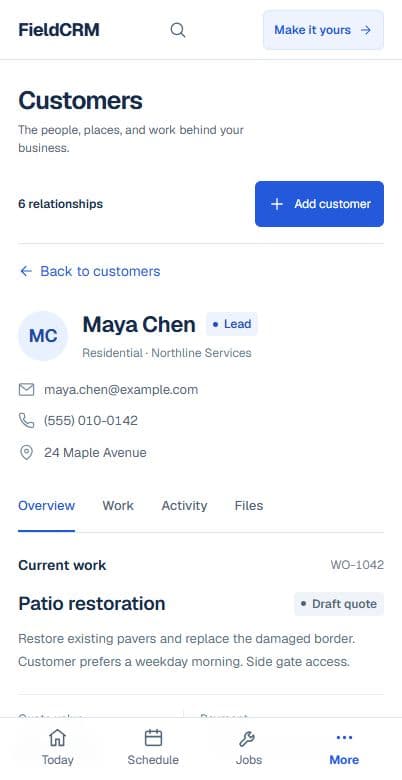
FieldCRM mobile Customer page showing contact details, next best action, job sites, and connected work.
Sample workspace · Fictional business data

A clearer path from request to follow-up

Each stage stays attached to the same customer and work history.

01

Capture the request

Record both addresses, preferred and alternate dates, property type, floors, elevator reservations, walking distance, parking limits, inventory, fragile or heavy pieces, packing needs, and storage or disposal requests. Note who can approve decisions at each location. Flag piano, safe, oversized, or building-rule issues that require special review before estimating.

02

Price and get approval

Prepare the estimate from the documented inventory, crew and truck plan, expected hours or service basis, travel, packing materials, specialty items, and access conditions. Make deposit and change assumptions clear. Keep the customer's approval and any later inventory update beside the quote so move-day scope is not buried in messages.

03

Deliver and follow through

Schedule the truck and crew with pickup, delivery, contact, access, and protected-item notes visible. Record timing changes, approved additions, damage observations, completion, balance status, and customer questions. Close with a follow-up for claims handling, review requests, storage release, unpacking, or a future move without mixing those actions into the original estimate.

Everyday work this can organize

Apartment moves

Track stairs, elevators, loading zones, certificates, building hours, long carries, and key contacts at both addresses before assigning the move window. Crew timing reflects the actual access constraints.

Household inventory estimates

Keep room-by-room inventory, box assumptions, fragile items, disassembly, packing, and customer updates connected to the estimate that sets crew expectations. Later additions remain visible before move day.

Specialty-item planning

Document safes, pianos, antiques, gym equipment, oversized furniture, doorway constraints, and required equipment before the job reaches the field crew. Specialized preparation is not left to arrival-day discovery.

Move-day changes

Record added items, access delays, extra stops, waiting time, and customer approvals as they occur so closeout reflects the work actually performed. Billing and customer follow-up share that same history.

A workflow shaped for moving company work

  1. 01

    Capture pickup, drop-off, inventory, access, stairs, elevator, and parking details

  2. 02

    Build estimates with movers, truck time, packing materials, deposits, and specialty items

  3. 03

    Track move-day status, photos, payment, completion notes, and customer follow-up

What gets easier for moving company owners

  • Quote moves with fewer access surprises
  • Keep inventory, crew, truck, and packing details connected
  • Move from estimate to booked move without losing customer context

Frequently asked questions

Can FieldCRM store pickup and delivery details together?

Yes. Both locations, contacts, access notes, inventory context, estimate, job, payment, and follow-ups can remain connected to the same customer workflow.

Can a moving company update scope after the estimate?

Yes. Owners can document inventory or access changes and record the customer's decision, preserving a clearer history before the crew performs additional work.

Is FieldCRM a moving inventory scanner or fleet-routing platform?

No. FieldCRM connects customer and job operations for small teams. Specialized inventory, fleet, dispatch, compliance, or electronic-document tools may still be required.

Organize your next moving company job.

Add a card to try the full core workflow for 14 days and pay $0 today. Choose your business type during setup.