
What is the difference between an estimate and a quote in FieldCRM?
The estimate is the owner’s pricing inside the Work Order. The quote is the connected customer-facing record used to review the scope and make a decision.
Connected estimating and quote decisions
Price work from the connected Work Order with scope, line items, quantities, unit prices, discounts, taxes, totals, and a valid-until date. Send the customer a quote link and keep the decision attached to the work.
View monthly pricing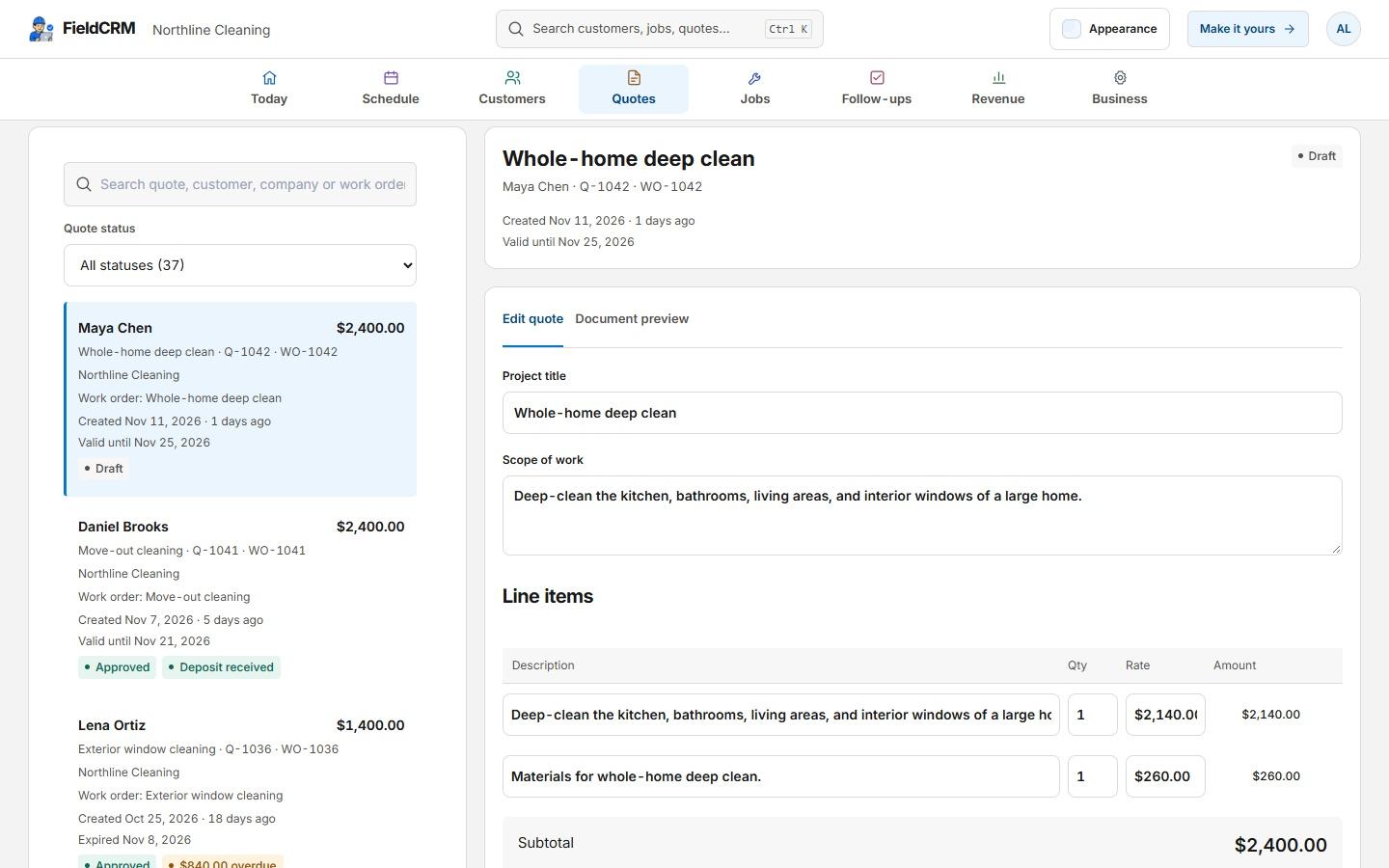
FieldCRM separates the owner’s pricing work from the customer’s decision without separating the records. The estimate lives with the Work Order; the connected quote becomes the customer-facing review and approval step.
Keep the math and the decision context visible to the owner instead of recreating a proposal in another app.
Scope and customer-facing description
Line items, quantities, and unit prices
Discount, tax, total, and validity date
Customer approval or decline
Customer name, signature, notes, and decision time
Payment status and the next job step
The owner chooses when pricing is ready and when the customer-facing quote should be sent.
Use the saved customer, location, scope, and line items to create a price grounded in the original opportunity.
Confirm quantities, unit prices, discounts, tax, notes, and the date through which the quote remains valid.
Send the public quote link so the customer can review the scope, approve or decline, leave notes, and sign.
Keep the approval, payment context, customer, and Work Order connected when the owner creates and schedules the job.
Customer spreadsheet import
Bring customer contacts from CSV, TSV or Excel (.xlsx). Match your columns and preview the rows before you import.
Duplicate matches are skipped. Existing customer records stay unchanged.
Draft, sent, approved, declined, and expired quote states make the decision visible. When a supported payment option is configured, the public flow can present the applicable payment step and FieldCRM can track its status.
Control and trust
The owner builds and reviews the estimate, chooses when to send the quote, and decides when approved work moves into a job. FieldCRM records those actions; it does not generate prices or send reminders automatically.
The estimate is the owner’s pricing inside the Work Order. The quote is the connected customer-facing record used to review the scope and make a decision.
Yes. A customer can use the public quote link to approve or decline and leave decision notes.
Yes. The quote flow can record the customer name, signature, notes, decision, and decision timestamp.
When the business has configured a supported payment option, the public flow can present the applicable payment step and FieldCRM can track payment status.
No. The owner controls scope, line items, quantities, prices, discounts, taxes, and the decision to send the quote.
Yes. The workspace owner can upload a CSV, TSV or Excel (.xlsx) customer list, match the columns and preview each row before confirming. Import names, company details, email, phone, a primary service address, notes and tags. Each file can contain up to 500 customers and 5 MB. Duplicate matches are skipped and existing customers are never overwritten. Open Customers → Import customers or Business settings → Data & imports. This imports customer details, not jobs, quotes, invoices, payment history or attached files.
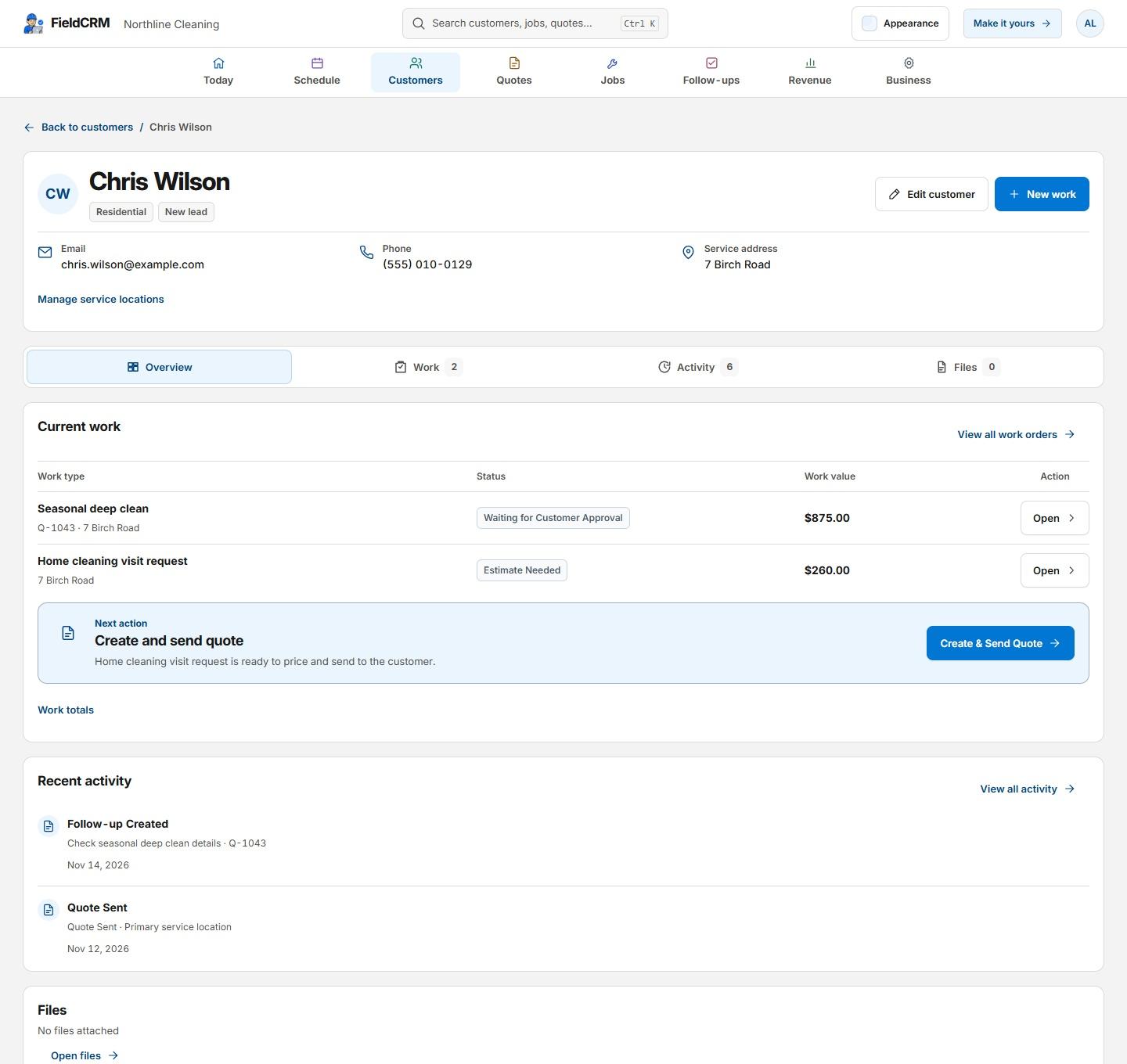
See where the estimate starts, how the quote fits the customer record, and how approved work becomes a tracked job.
Keep the customer, the work, the money, and the next action connected.
See solutionCapture incoming work once, then move it toward pricing, approval, and delivery.
See solutionSee which work is ready, scheduled, underway, delayed, or completed.
See solutionTry the full core workflow for 14 days with no card or automatic charge. The trial starts on Solo; paid plans start at $29 per month with monthly billing and no annual contract.