Tree service CRM and management software for estimates, crews, and job history

Tree work begins with site conditions that cannot be reduced to a customer name and a price. Species, size, condition, targets, utilities, fences, slope, equipment access, traffic, permits, and disposal plans all affect the estimate and crew plan. FieldCRM connects those observations with photos, quote approval, scheduled work, completion, payment, and follow-up so the operational history stays available without replacing professional risk assessment.

Explore a sample business with no account or card. Changes are temporary; nothing is sent or charged.

See the workflow
  • Card required · $0 today
  • Plans from $29/month
  • No annual contract
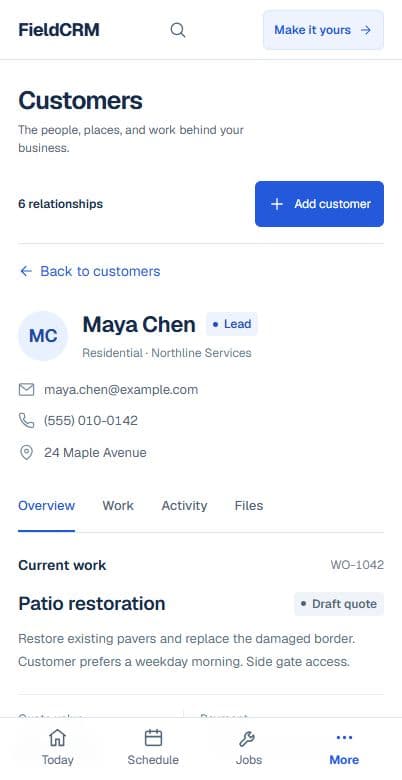
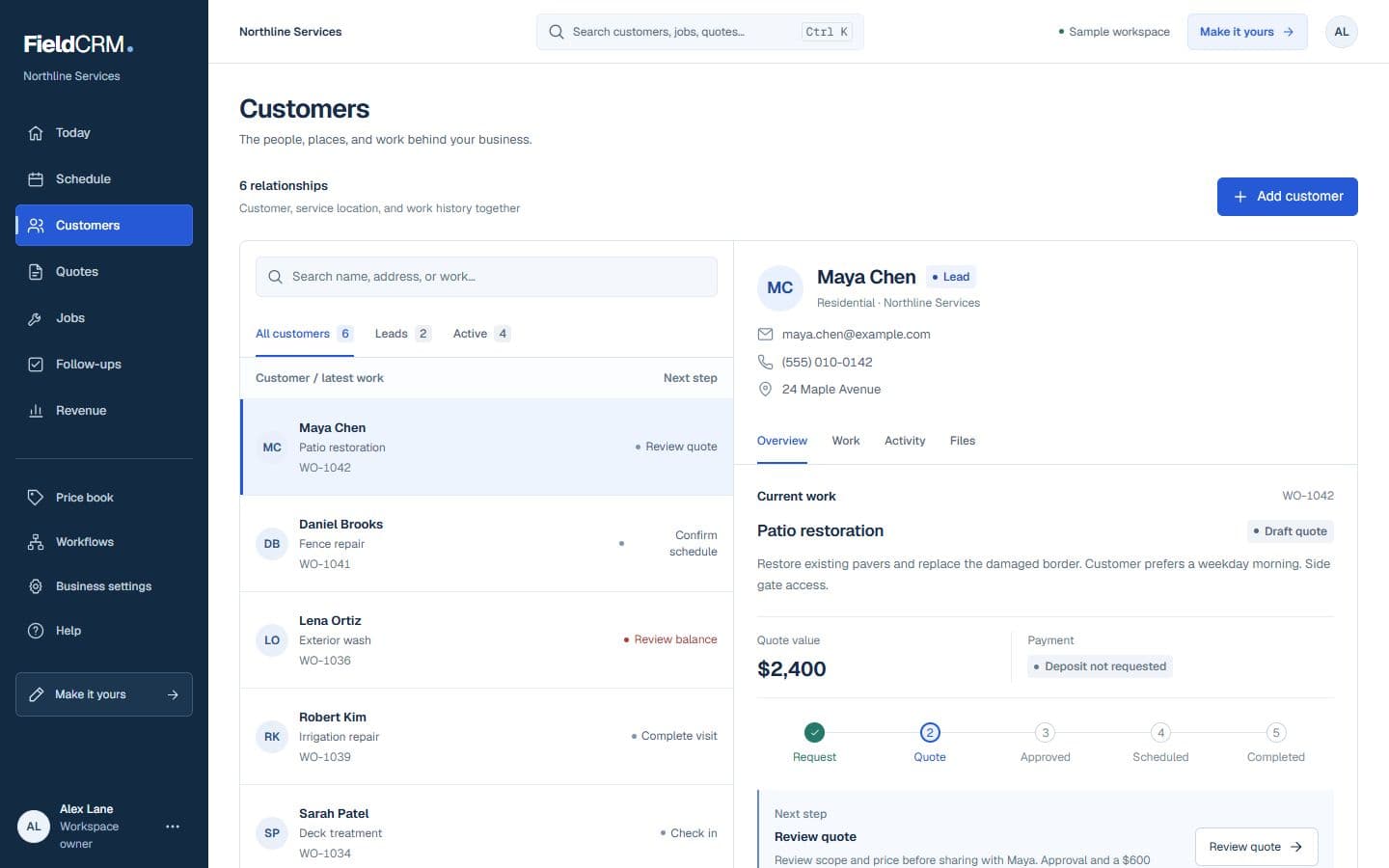
FieldCRM sample customer workspace capture with job sites, Work Orders, quote queue, and next action context.
FieldCRM mobile Customer page showing contact details, next best action, job sites, and connected work.
Sample workspace · Fictional business data

Try it without surprises

Know exactly what happens next.

You do not need a sales call to begin. Pricing and trial terms are shown before you confirm.

  1. 01

    Set up your workspace

    Create the account and choose the business type that most closely matches your work.

  2. 02

    Use the real product

    Add a card securely. You pay $0 today and get 14 days to test the complete core workflow.

  3. 03

    Keep it or cancel

    Solo is $29 per month after the trial unless you cancel beforehand. There is no annual contract.

Industry scenario

Tree removal estimates

Keep target areas, access, equipment assumptions, debris handling, stump options, photos, and the exact approved tree scope together for crew planning. The estimate and field plan reference the same trees.

  1. 1Capture the customer, property, tree size, hazard, permit, access, and photo details
  2. 2Build the estimate and keep crew, equipment, disposal, and customer approval context attached
  3. 3Schedule approved work, record completion and payment status, and create the next follow-up

Inspect it in the demo

Trace the connected structure before you sign up.

The interactive demo opens in English with a fictional sample business, not a tree service account. Use it to inspect the shared customer, Work Order, quote, job, and follow-up structure; the industry-specific scenario is shown on this page.

No account or card is needed. Changes are temporary; nothing is sent or charged.

Open the interactive demo

A clearer path from request to follow-up

Each stage stays attached to the same customer and work history.

01

Capture the request

Record the tree location, species when known, approximate size, visible condition, requested outcome, nearby structures, utilities, access width, grade, traffic, fences, landscaping, debris plan, and customer photos. Flag storm damage, active failure, utility conflict, or other conditions that require urgent professional evaluation rather than an ordinary remote estimate.

02

Price and get approval

Build the estimate from the inspected scope, crew, equipment, climbing or lift access, rigging complexity, haul-away, stump work, traffic control, permits, and optional alternatives. Describe exclusions and property-protection assumptions. Keep the customer's approved trees and work method clear so the crew is not identifying scope from an old photo on arrival.

03

Deliver and follow through

Schedule the job with hazard, access, equipment, utility, permit, traffic, and customer-notification details visible. Save pre-work and completion photos, approved changes, debris disposition, property notes, payment, and any issue requiring a return. Follow up on stump grinding, replacement planning, adjacent trees, or warranty questions using the original site history.

Everyday work this can organize

Tree removal estimates

Keep target areas, access, equipment assumptions, debris handling, stump options, photos, and the exact approved tree scope together for crew planning. The estimate and field plan reference the same trees.

Pruning and clearance

Document limbs, structures, roofs, roads, utilities, clearance goals, disposal, and customer expectations without turning a vague request into uncontrolled scope. Specific targets remain reviewable during closeout.

Storm-response intake

Capture immediate conditions, blocked access, structures, utilities, photos, caller location, and urgency while separating emergency stabilization from later restoration work. Follow-on work receives its own documented approval.

Stump and follow-up work

Track stump location, dimensions, access, grind depth, chip handling, utility-marking needs, and whether the service follows a prior removal. The crew can match the stump to the completed tree job.

A workflow shaped for tree service work

  1. 01

    Capture the customer, property, tree size, hazard, permit, access, and photo details

  2. 02

    Build the estimate and keep crew, equipment, disposal, and customer approval context attached

  3. 03

    Schedule approved work, record completion and payment status, and create the next follow-up

What gets easier for tree service owners

  • Keep hazard, access, permit, and estimate history with the customer
  • Plan crews and equipment from one connected job record
  • Organize emergency calls and planned tree work without losing follow-up

Frequently asked questions

Can FieldCRM organize hazard and equipment notes?

Yes. Site observations, access, equipment planning, photos, estimate decisions, job notes, and follow-ups can remain attached to the customer and property.

Can tree removal and stump grinding be quoted separately?

Yes. Clear line items and options can preserve what the customer approved, then keep each completed or deferred part visible in the work history.

Does FieldCRM assess tree risk or direct safe work practices?

No. Qualified professionals remain responsible for inspection, risk, utilities, traffic, permits, equipment, arboricultural standards, and crew safety. FieldCRM organizes the resulting workflow.

Organize your next tree service job.

Add a card to try the full core workflow for 14 days and pay $0 today. Choose your business type during setup.