Garage door business software for service calls, parts, and repeat history

Garage door customers often call with a symptom—noise, uneven travel, a stuck door, broken component, or opener problem—while the technician needs door size, construction, hardware, opener, access, and prior service context. FieldCRM connects that intake with diagnosis, estimate options, approval, scheduled repair or installation, parts, payment, completion notes, photos, and warranty follow-up for small service companies. The correct door stays identifiable throughout service.

Try FieldCRM for 14 days with no card required and no automatic charge.

View pricing
  • No card · No automatic charge
  • Plans from $29/month
  • No annual contract
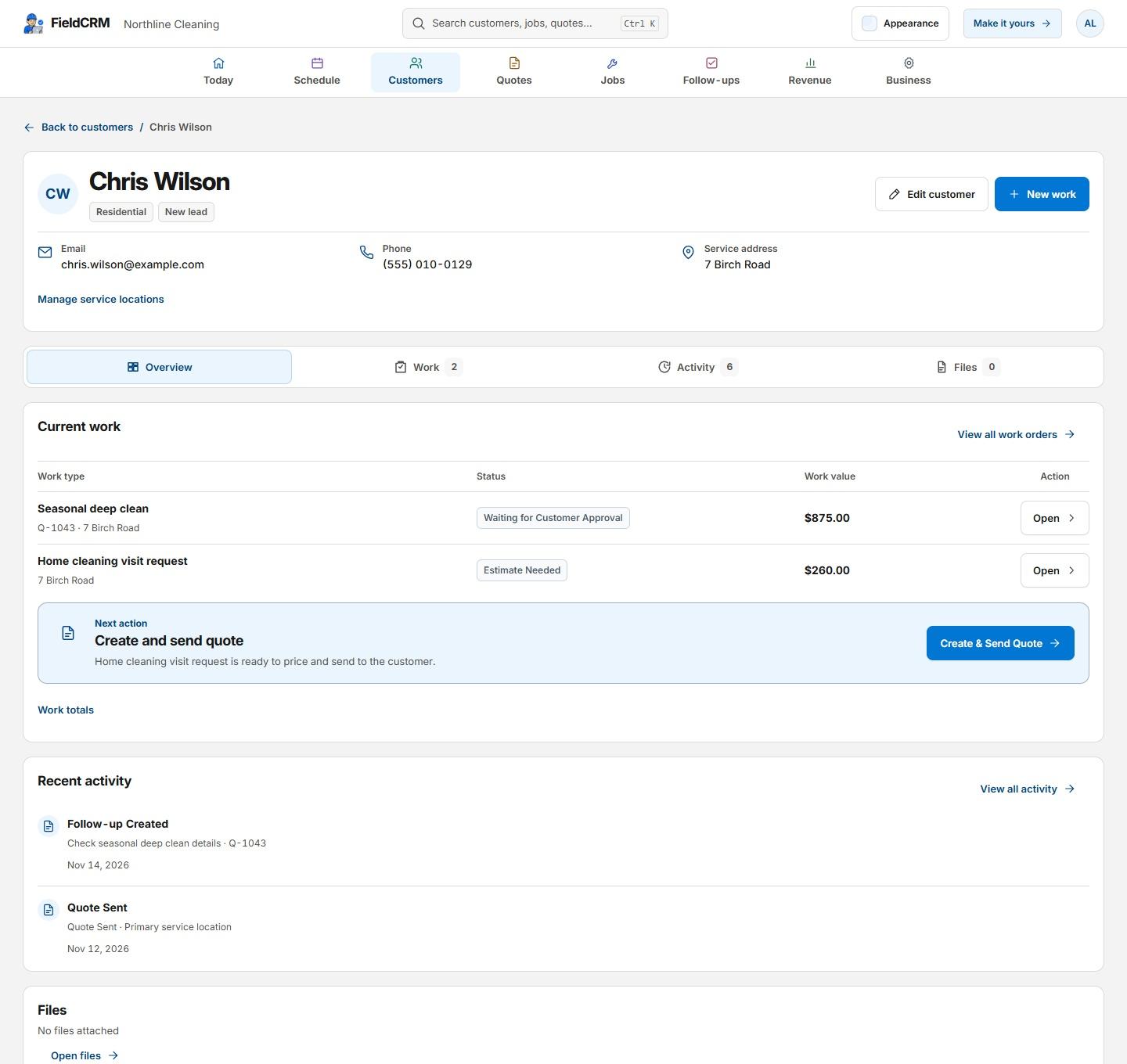
FieldCRM sample customer Overview with contact details and separate Current work, Recent activity, and Files cards.
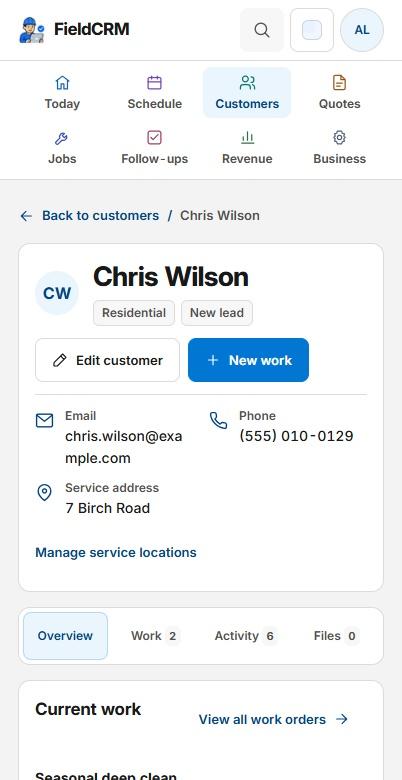
FieldCRM sample customer Overview on a phone with two rows of navigation, contact details, record tabs, and the Current work card.
Sample workspace · Fictional business data

A clearer path from request to follow-up

Each stage stays attached to the same customer and work history.

01

Capture the request

Record the service address, door count and size when known, material, symptom, position, manual operation, opener brand or model, remotes, safety concerns, recent impact or repair, access, and customer photos. Follow the business's emergency guidance for unstable or trapped doors and avoid diagnosing springs, cables, tracks, or electrical issues from messages alone.

02

Price and get approval

Build the estimate from the inspected repair or replacement scope, labor, springs, rollers, cables, tracks, panels, opener, controls, hardware, haul-away, and available options. Clearly describe matched component, door, insulation, or opener choices. Keep the approved option and parts decision connected to the job instead of relying on a verbal selection.

03

Deliver and follow through

Schedule the technician with door, opener, symptom, access, parts, and approved-scope notes visible. Record diagnosis, measurements, components installed, balance and safety testing performed by the professional, photos, customer instructions, payment, and warranty context. Follow up on ordered panels, remotes, inspection, adjustment, maintenance, or recurring symptoms.

Everyday work this can organize

Spring and cable service

Keep customer symptoms, door details, inspection findings, component scope, estimate approval, completed repair, testing notes, and warranty context together for the visit. A later call can reference the exact serviced components.

Opener repair and replacement

Document unit, controls, power, symptoms, compatibility, proposed options, customer selection, installation, programming, safety checks, and follow-up without losing vehicle-access context. Remote and keypad needs remain attached to the choice.

Door replacement projects

Track opening measurements, door style, material, insulation, windows, color, hardware, lead time, removal, installation stages, payment, and customer handoff. Ordering and installation follow the same approved configuration.

Commercial door calls

Save site contacts, operating hours, door identification, access, equipment needs, reported condition, service history, parts, scheduling constraints, and completion confirmation. Recurring facilities can distinguish each serviced opening.

A workflow shaped for garage doors work

  1. 01

    Record the door, opener, issue, urgency, access, and safety details

  2. 02

    Estimate parts and labor and capture the customer decision

  3. 03

    Track repair or installation status, warranty notes, and follow-up

What gets easier for garage doors owners

  • Prepare technicians with the right door and issue context
  • Keep parts, approvals, photos, and warranty details connected
  • Build useful service history for the next repair or inspection

Frequently asked questions

Can FieldCRM keep garage door and opener history together?

Yes. Door, opener, prior service, photos, estimates, jobs, parts context, payments, warranty notes, and follow-ups can remain connected to the property.

Can I quote repair and replacement options?

Yes. Owners can present clear alternatives, preserve the customer's selected option, and keep approved changes connected to the scheduled service or installation.

Does FieldCRM diagnose or provide garage-door safety procedures?

No. Trained professionals remain responsible for inspection, spring and cable hazards, electrical work, manufacturer requirements, balance, safety testing, code, and safe service.

Organize your next garage doors job.

Try the full core workflow for 14 days with no card or automatic charge. The trial starts on Solo; choose another plan later.