Electrical business software for service calls, estimates, and follow-up

Electrical customers often describe a symptom rather than a scope: a breaker trips, lights flicker, an outlet is warm, or new equipment needs power. A small electrical company must capture urgency and safety context without diagnosing from a message. FieldCRM connects the reported issue, property and panel notes, inspection, estimate, approval, scheduled work, permits, photos, payment, and follow-up in one customer history.

Try FieldCRM for 14 days with no card required and no automatic charge.

View pricing
  • No card · No automatic charge
  • Plans from $29/month
  • No annual contract
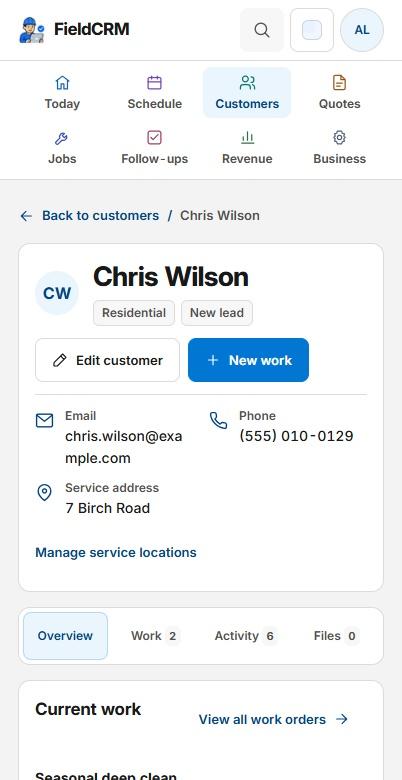
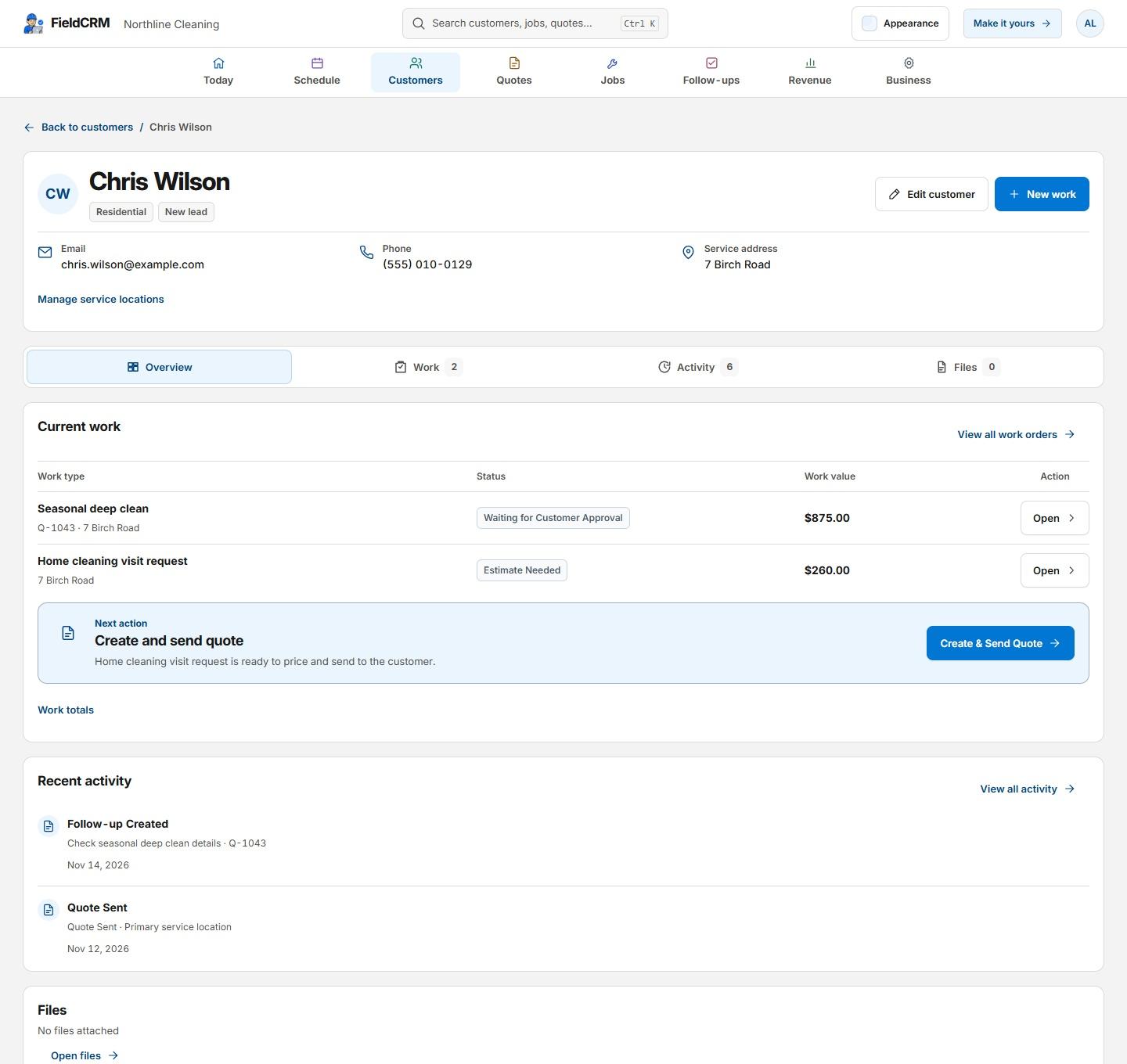
FieldCRM sample customer Overview with contact details and separate Current work, Recent activity, and Files cards.
FieldCRM sample customer Overview on a phone with two rows of navigation, contact details, record tabs, and the Current work card.
Sample workspace · Fictional business data

A clearer path from request to follow-up

Each stage stays attached to the same customer and work history.

01

Capture the request

Record the service address, reported symptom, affected rooms or equipment, timing, breaker or panel information, visible damage, recent changes, occupancy, access, and customer photos when appropriate. Escalate emergency or fire indicators according to the business's safety policy. Mark requests that require on-site troubleshooting before a repair price can be offered.

02

Price and get approval

Prepare the estimate with diagnostic time, labor, devices, wire, breakers, fixtures, equipment, permit or inspection fees, access work, and alternatives where the inspected condition supports them. Describe customer-supplied products and concealed-condition assumptions. Preserve the accepted option and approved changes so the field record matches the decision.

03

Deliver and follow through

Schedule the electrician with symptom, location, panel, access, permit, and approved-scope context visible. Record findings, circuit or equipment details useful to future service, work completed, testing, labels, photos, customer instructions, payment, and inspection status. Follow up on permits, ordered materials, utility coordination, restoration, warranty, or deferred recommendations.

Everyday work this can organize

Troubleshooting calls

Keep the customer's symptoms, affected areas, recent changes, diagnostic findings, repair decision, testing notes, and follow-up together without pretending intake supplied the diagnosis. The verified result remains distinct from the initial report.

Panel and service work

Document existing panel details, load or service observations, access, utility coordination, permit stages, approved equipment, photos, and inspection follow-through. Project history remains available after the final inspection.

Lighting and device projects

Track fixture counts, locations, switching, customer-supplied products, ceiling access, patching exclusions, options, and completed installation details. Room-level decisions stay visible to the installer before work begins.

Equipment circuits

Save appliance or system requirements, proposed circuit, route assumptions, disconnect needs, permit context, customer decisions, and coordination with the installing trade. Both trades can review the documented handoff responsibility.

A workflow shaped for electrical work

  1. 01

    Capture issue, safety concern, panel, circuit, and access details

  2. 02

    Build estimates with diagnostics, labor, materials, permit, and inspection fees

  3. 03

    Track jobs, code notes, photos, warranty details, and customer follow-up

What gets easier for electrical owners

  • Organize safety and code-related details
  • Keep panel and circuit context easy to find
  • Move from work order to estimate to approved job without losing information

Frequently asked questions

Can electricians build estimates in FieldCRM?

Yes. Owners can price labor, diagnostic work, materials, devices, permit fees, inspections, and custom line items, then retain the customer's approved option.

Can panel and circuit notes stay with the property?

Yes. Relevant service-location notes, photos, prior work, estimates, jobs, payments, and follow-ups can provide context for future visits to the same property.

Does FieldCRM diagnose electrical problems or check code?

No. Licensed electrical professionals remain responsible for diagnosis, load calculations, code, permits, testing, product requirements, and safe work. FieldCRM supports workflow only.

Organize your next electrical job.

Try the full core workflow for 14 days with no card or automatic charge. The trial starts on Solo; choose another plan later.