Appliance repair software for diagnostics, model details, parts, and jobs

Appliance repair begins with an owner describing a symptom while the technician needs the exact appliance, model, serial, age, error, access, installation, prior repair, and warranty context. Parts availability often separates diagnosis from completion. FieldCRM connects the customer's report and appliance details with diagnostic work, estimates, authorization, parts follow-up, scheduled return, payment, completion, and service history for small repair businesses.

Explore a sample business with no account or card. Changes are temporary; nothing is sent or charged.

View pricing
  • Card required · $0 today
  • Plans from $29/month
  • No annual contract
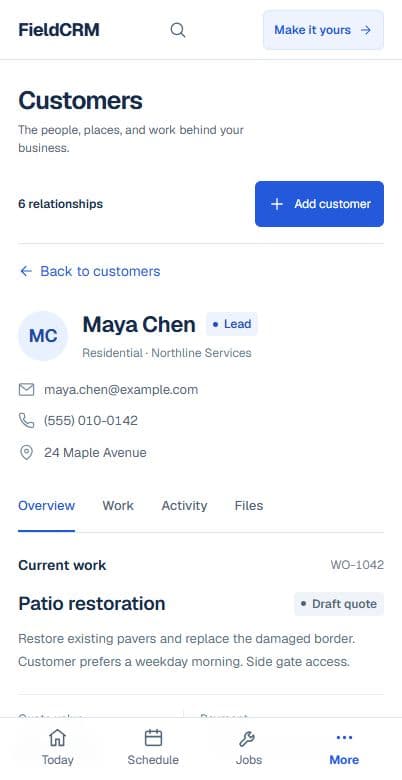
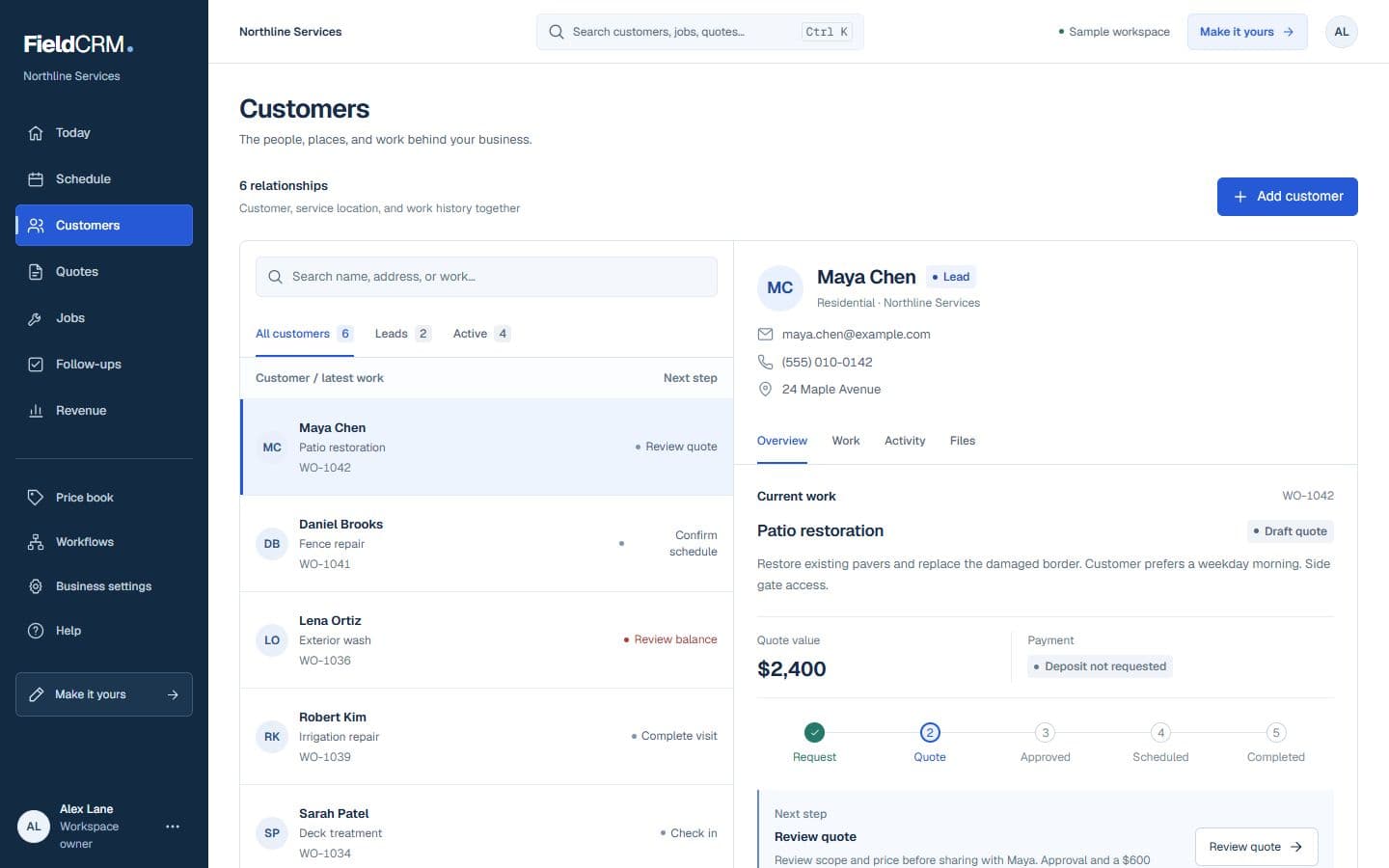
FieldCRM sample customer workspace capture with job sites, Work Orders, quote queue, and next action context.
FieldCRM mobile Customer page showing contact details, next best action, job sites, and connected work.
Sample workspace · Fictional business data

A clearer path from request to follow-up

Each stage stays attached to the same customer and work history.

01

Capture the request

Record the appliance type, brand, model and serial when available, age, customer-stated symptom, error code, when it occurs, recent changes, utility connections, location, installation access, prior repair, warranty status, and photos. Mark safety concerns and explain when a diagnostic visit is required before promising a cause, part, price, or repairability.

02

Price and get approval

Build the estimate with diagnostic charge, labor, part, shipping, return visit, disposal, and repair or replacement-related options supported by inspection. State availability and special-order terms clearly. Keep the customer's authorization and part choice connected to the Work Order so the return visit reflects the approved repair rather than an outdated assumption.

03

Deliver and follow through

Schedule diagnosis or repair with appliance, model, symptom, access, part, and approval notes visible. Record findings, part installed, work performed, operational testing, photos, customer instructions, payment, and warranty context. Follow up on backorders, return appointments, manufacturer or warranty coordination, recurring symptoms, or a different appliance at the same property.

Everyday work this can organize

Diagnostic service calls

Keep the customer's symptom, appliance identity, error details, technician findings, repair option, authorization, and testing history separate but connected from intake through closeout. Future visits can compare the reported behavior accurately.

Parts ordering and return visits

Track exact part, supplier status, special-order terms, customer approval, arrival, appointment, installed result, and unused or returned components without a loose reminder. The return stays tied to the diagnosed appliance.

Kitchen appliance repair

Save model and installation access for refrigerators, ovens, ranges, dishwashers, or microwaves alongside symptoms, utilities, photos, work, and future service history. Each appliance remains distinct within the household record.

Laundry equipment service

Document washer or dryer model, hookups, stacked or confined access, leak or vent context, diagnostic notes, parts, completed repair, and customer guidance. Access constraints remain available for any return appointment.

A workflow shaped for appliance repair work

  1. 01

    Capture the appliance, model, serial number, issue, access, and warranty details

  2. 02

    Record the diagnostic, parts, labor, estimate, and authorization

  3. 03

    Track the repair, payment, warranty notes, and customer follow-up

What gets easier for appliance repair owners

  • Give technicians better appliance and issue context
  • Keep diagnostics, parts, approvals, and photos together
  • Build repair history that helps with repeat service

Frequently asked questions

Can FieldCRM keep appliance model and serial details?

Yes. Appliance identity, symptoms, photos, estimates, parts context, repair jobs, payments, warranty notes, and follow-ups can remain connected to the customer's service history.

Can I track a part before scheduling the return visit?

Yes. Owners can retain part and authorization details with the work, then create the appropriate follow-up and scheduled job when the part is available.

Does FieldCRM diagnose appliances or provide repair procedures?

No. Qualified technicians remain responsible for diagnosis, electrical and gas safety, refrigerant rules, manufacturer procedures, parts compatibility, testing, and safe repair. FieldCRM supports workflow.

Organize your next appliance repair job.

Add a card to try the full core workflow for 14 days and pay $0 today. Choose your business type during setup.