Mobile detailing CRM for vehicle history and repeat customers

Mobile detailers manage a customer, a vehicle, and a service location at the same time. Package choice, vehicle size, paint condition, stains, pet hair, water or power access, parking, weather, and prior coatings all affect the visit. FieldCRM keeps those facts with the estimate, appointment, completion photos, payment, and maintenance reminder so repeat customers receive recommendations based on their actual vehicle history.

Explore a sample business with no account or card. Changes are temporary; nothing is sent or charged.

View pricing
  • Card required · $0 today
  • Plans from $29/month
  • No annual contract
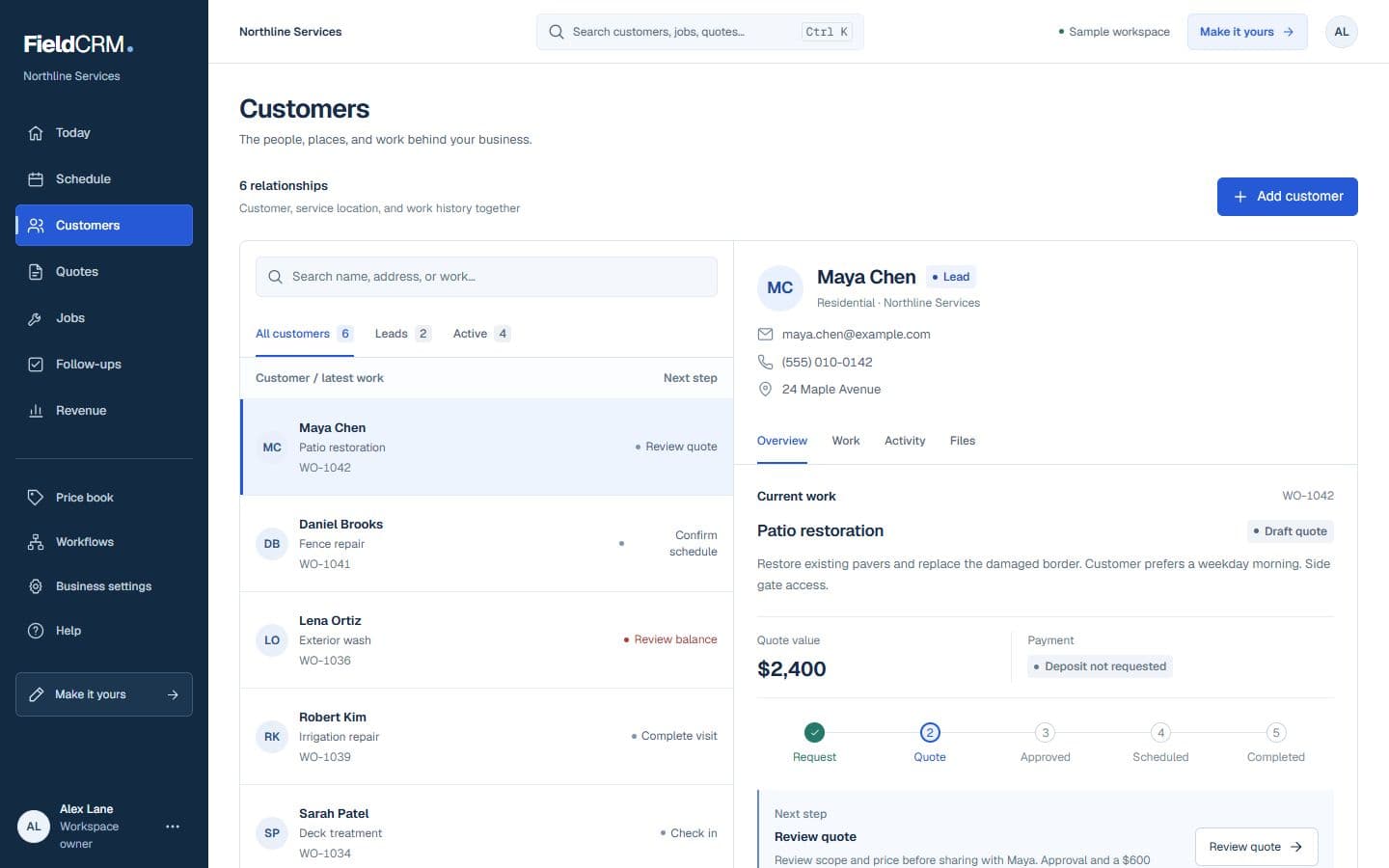
FieldCRM sample customer workspace capture with job sites, Work Orders, quote queue, and next action context.
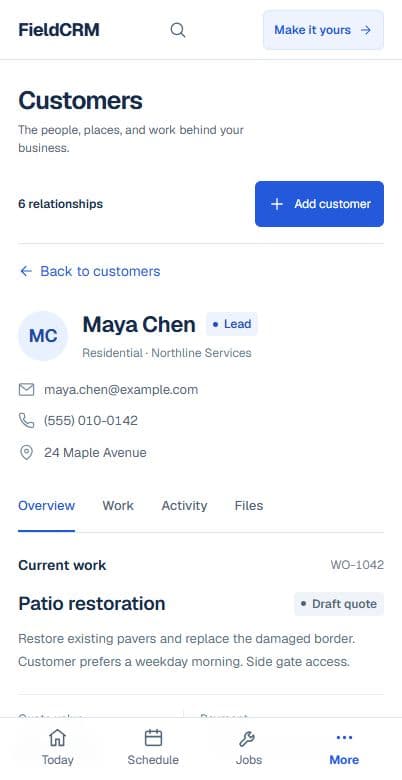
FieldCRM mobile Customer page showing contact details, next best action, job sites, and connected work.
Sample workspace · Fictional business data

A clearer path from request to follow-up

Each stage stays attached to the same customer and work history.

01

Capture the request

Record the vehicle year, make, model, size, color, condition, requested package, problem areas, existing coatings, and useful photos. Add the service address, parking situation, shade, water and power availability, gate instructions, and weather flexibility. Confirm whether the customer will be present and what outcome matters most before quoting or scheduling.

02

Price and get approval

Price the selected package plus condition-based work such as heavy pet hair, stain treatment, paint correction, coating preparation, oversized vehicles, travel, or fleet volume. Explain inspection-dependent items rather than guaranteeing an unseen result. Keep the customer's package and add-on approval attached so the technician knows exactly what was purchased.

03

Deliver and follow through

Schedule the detail with vehicle, location, access, weather, and package notes visible. Save inspection findings, approved changes, before-and-after photos, products or coating details, completion, and payment. Set the next follow-up around wash maintenance, coating care, seasonal protection, or another vehicle instead of sending a generic reminder unrelated to the service.

Everyday work this can organize

Maintenance details

Keep preferred package, vehicle condition, service location, prior notes, and recommended cadence together so returning customers do not restart the conversation each visit. The next appointment begins with accurate vehicle context.

Interior restoration

Document stains, odors, pet hair, fabric or leather, child seats, cargo areas, and customer expectations before committing labor and treatment time. Sensitive materials and limits remain visible during service.

Paint correction and coatings

Save inspection photos, correction goals, coating product, cure instructions, maintenance guidance, and warranty context with the exact vehicle and completed job. Future care recommendations reflect the installed protection.

Small fleet accounts

Track individual vehicles, site access, package standards, billing contact, service rotation, and exceptions without flattening the entire fleet into one vague customer note. Each unit keeps its own completion and condition history.

A workflow shaped for mobile detailing work

  1. 01

    Record vehicle, package, and location needs

  2. 02

    Quote the detail or fleet visit

  3. 03

    Schedule maintenance follow-ups

What gets easier for mobile detailing owners

  • Keep vehicle history organized
  • Prepare for mobile access needs
  • Grow recurring maintenance work

Frequently asked questions

Can FieldCRM keep more than one vehicle under a customer?

The customer history can retain vehicle-specific notes and work context, helping the owner distinguish packages, conditions, photos, and follow-ups across repeat service.

Can I record water and power access for a mobile detail?

Yes. Service-location notes can preserve parking, gate, water, power, shade, and arrival instructions so the technician can prepare before traveling.

Does FieldCRM inspect paint or recommend detailing products?

No. A trained detailer remains responsible for inspection, product compatibility, technique, safety, and promised results. FieldCRM organizes the chosen service and customer workflow.

Organize your next mobile detailing job.

Add a card to try the full core workflow for 14 days and pay $0 today. Choose your business type during setup.